Business Tips
Perks: A step-by-step guide to building member benefits
An Nguyen
Oct 24, 2025
In this guide, Mehub walks you through how to create and manage perks — the special rewards you can offer to your members. You’ll learn about the different perk types and how to set them up for each membership tier.

What are perks?
Perks are benefits that members receive when they join one of your Mehub tiers. They’re designed to add extra value, show appreciation, and keep your community engaged. You decide what to offer, which tiers get it, and how each perk is delivered.
Available perk types
Custom perk: Create unique, personalized rewards tailored to your brand and audience
Discord: Grant exclusive server access or members-only roles through Discord integration
Members - only discounts: Offer special promotions on products in your shop
Members - only products: Release products available exclusively to members
Private RSS feed: Share all your audio content in a dedicated podcast-style feed
When setting up a perk, you can select which tiers the perk applies to and customize other key details to suit your goals.
1. Custom perks
Custom perks let you define any benefit that fits your brand - from early access to behind the scenes content, to personalized thank you messages or giveaway entries.

How to set up:
Click Add Perk → Custom Perk
Enter a title and short description
Select which tiers should receive it
Hit Save
2. Discord integration
With Mehub’s Discord integration, you can automatically assign roles or grant access to a private server once someone becomes a member.

To enable:
Choose Discord Role from the perk options
Connect your Discord account
Choose which roles correspond to which tiers
Save your settings
Members will automatically get their roles after linking Discord through their Mehub account.
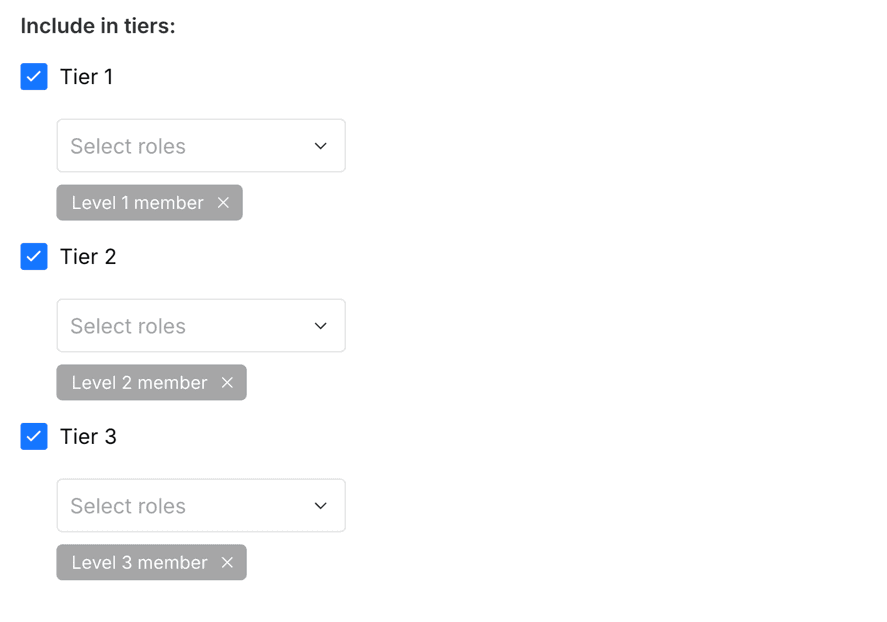
Note: You can set up Discord perks for all tiers at once by choosing a role for each. However, you must create these roles in your Discord server first.
3. Members - only discounts
Once activated, discounted products will display a special “Members only” badge in your shop.

Setup steps:
Add a new perk → Choose Members - only discount
Name your perk and select tiers
Go to the Promotions tab to create a discount code
Set your discount amount, eligible tiers, and usage rules
Save your promo, and it’s live!
4. Members - only products
From limited-edition merch to digital downloads, you control who can see and purchase them.

To create:
Add a new perk → Choose Members - only product
Assign tiers that will have access
Go to your Products tab
Check Make this a members-only product and save
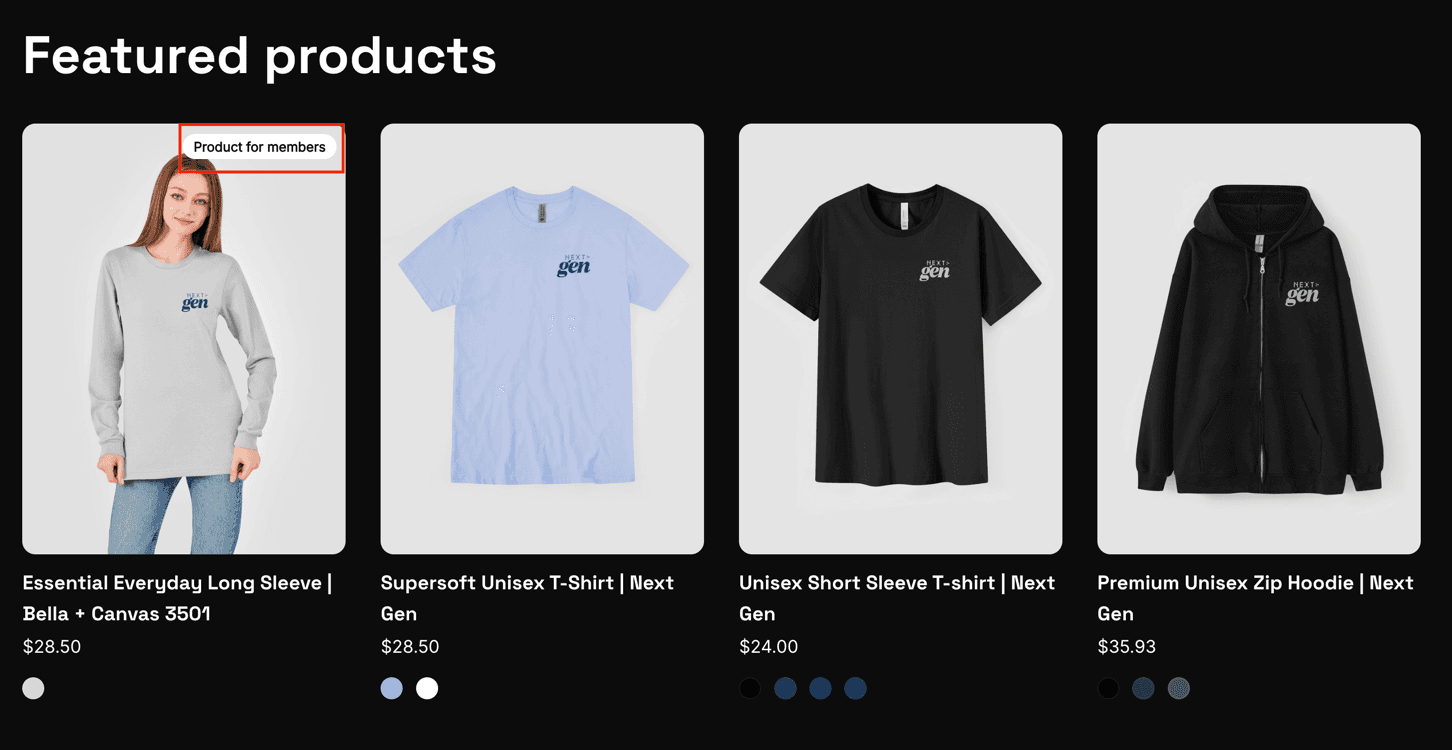
Your product will now show a “Members Only” tag to highlight its exclusivity.
5. Private RSS Feed
A Private RSS Feed gives each of your members a unique link where they can listen to all your audio posts in one convenient place. This makes it easy for members to stay up to date with every new upload. You’ll need at least one published audio post before enabling this feature.

How to enable:
Add a new perk → Choose Private RSS Feed
Add a title, image (optional), and select which tiers get access
Choose to include all audio posts or specific tags
Save - and you’re done!
Members can find their personal RSS link directly in the Perks tab.
Designing the perfect Membership
Every creator’s community is different - and your perks should reflect that. Mix and match different types of rewards to build an experience that feels authentic to your brand.
Some inspiration:
Early access + Members-only discounts = strong engagement
Custom perks + Discord = stronger sense of belonging
Exclusive products = higher retention
You’re ready to go
That’s it! You’re all set to design a membership that rewards your fans and keeps them coming back.
Need ideas? Explore how other Mehub creators build their membership programs on Mehub's Blog.

Written by
An Nguyen
An Nguyen is a software engineer and tech blogger with over 8 years of experience. His blog offers coding tips, product reviews, and tech guides, while also supporting young developers in kickstarting their careers.